Back to Blog
Business
Published October 27, 2026 · Updated October 27, 2026 · DevStaq Admin · 9 min read
When to Replace Spreadsheets with Custom Software (and What It Costs)
Almost every business starts on spreadsheets, and that's the right call. Excel and Google Sheets are free or cheap, everyone knows how to use them, and you can build a stock list or a payroll sheet in an afternoon.
The problem is that spreadsheets don't tell you when you've outgrown them. They just get slower, messier and riskier, one tab and one copy at a time, until a wrong formula sends out the wrong invoice or two people overwrite each other's work the day before payroll.
This guide helps you decide whether it's time to move on. You'll find the warning signs, an honest comparison of your three options, what custom software really costs, how the switch works without losing data, and when you should keep your spreadsheets for now.
7 signs you've outgrown your spreadsheets
If three or more of these sound familiar, your spreadsheets are costing you more than they save.
- Nobody trusts the numbers. People double-check totals by hand, or keep their own private copy "just in case". One broken formula or a row sorted on its own can quietly change every figure below it.
- There are five versions of the same file. "Stock_FINAL_v3_updated.xlsx" lives in someone's email, another copy is on a laptop, and nobody is sure which one is current.
- Two people can't safely work at once. Shared sheets help, but one person deleting a row or pasting over a column can wipe out someone else's work with no warning.
- Everyone can see (and change) everything. Salaries, supplier prices and customer balances sit in the same file. A spreadsheet can't easily let a manager see their team's attendance but hide everyone's pay.
- Reports take hours. At the end of every month someone copies data between tabs, builds pivot tables and fixes errors before the owner can see how the business is doing.
- The same data is typed in more than once. An order gets entered in the sales sheet, again in the stock sheet, and again on the invoice. Every extra copy is another chance for a mistake.
- The file is slow or keeps crashing. Tens of thousands of rows, dozens of tabs and lookups between them make the file painful to open, especially on a phone.
Your three options: spreadsheet, off-the-shelf or custom
Custom software isn't automatically the answer. Here's how the three options compare.
| Spreadsheets | Off-the-shelf software | Custom software | |
|---|---|---|---|
| Upfront cost | Free or very low | Low (setup, onboarding) | Higher (one-time build) |
| Ongoing cost | Staff time fixing and updating | Monthly fee, often per user, rising as you grow | Hosting and maintenance |
| Fits your process | Fully, until it gets messy | You adapt to the software | Built around how you work |
| Access control | Weak (whole file or nothing) | Usually good | Exactly what you need |
| Reports | Manual | Standard reports | The reports you actually use |
| Best for | Small teams, simple data | Common needs (accounting, email marketing) | Processes specific to your business or industry |
Choose off-the-shelf when your need is standard and a well-known product already does it well, for example general accounting. There's no reason to rebuild what exists.
Choose custom when your process is what makes your business different, when you've tried two or three products and keep working around them, or when per-user subscriptions get expensive as your team grows. A distributor tracking dealers, routes and credit, or a company with branch-specific payroll rules, often falls here.
What does custom software cost?
For a custom web app or internal dashboard, a typical project at DevStaq falls between $4,420 and $17,160, with about 8 weeks to build. That's for a representative project of around 8 screens with a custom design and a normal timeline.
Where you land in that range depends on a few things:
- How many screens the system needs (orders, stock, customers, reports, settings…)
- Features such as user logins and roles, payments, bookings, an admin dashboard, multi-language support, or connections to other systems (API integration)
- Design level: a clean standard layout costs less than a fully custom design
- Timeline: a rush job costs more because more people work on it at once
For a range based on your own project, use the free Website & Web App Cost Calculator: choose "Custom web app / dashboard", pick your screens and features, and you'll get a price range and timeline in about 30 seconds.
Don't forget running costs. Budget for hosting, backups, security updates and small changes after launch. These are usually far smaller than the build, but they're real.
Compare against what spreadsheets really cost. Add up the hours spent each month fixing errors, merging files and building reports, then multiply by what that time is worth. For many businesses, that hidden cost over a year or two is close to the price of software that removes it.
How to move from spreadsheets to software without losing data
The switch is less risky than most people expect, as long as you don't do it all in one day.
- Map what you actually do. List every spreadsheet, who uses it, what goes in and what comes out (invoices, payslips, reports). This list becomes the brief for the software.
- Clean the data. Remove duplicates, fix inconsistent names ("ABC Traders" vs "A.B.C. Traders"), and agree on one format for dates and amounts. Clean data in means clean data out.
- Build the core first. Start with the part that hurts most, often stock, attendance or invoicing, rather than everything at once. Add the rest in later stages.
- Import and run both side by side. Load your existing data into the new system and keep the spreadsheet going in parallel for a few weeks. If the totals match, you know the system is right.
- Train the team, then switch. A short live session for each role is usually enough. Once everyone is comfortable, make the spreadsheet read-only and keep it as an archive.
Keep the spreadsheet export option in the new system too. Being able to download your data as a CSV or Excel file means you're never locked in.
Two spreadsheets businesses replace most often
HR: attendance, leave and payroll sheets
A typical setup is one sheet for attendance, another for leave, and a payroll sheet that pulls numbers from both. Every month someone copies figures across, works out overtime, and builds payslips one by one. Mistakes land directly in people's pay, and everyone with the file can see everyone's salary.
HR software replaces this with one employee record. Attendance and leave feed payroll automatically, payslips are generated in one click, and managers see only their own team. DevStaq's HR Management app is built for exactly this, including multi-branch businesses.
Distribution: stock, dealers and credit sheets
Distributors often run a stock sheet, a dealer list, an invoice template and a credit ledger, all separate. When an order goes out, stock is updated in one place, the invoice is made in another, and the dealer's balance in a third. By the end of the month, the three rarely agree.
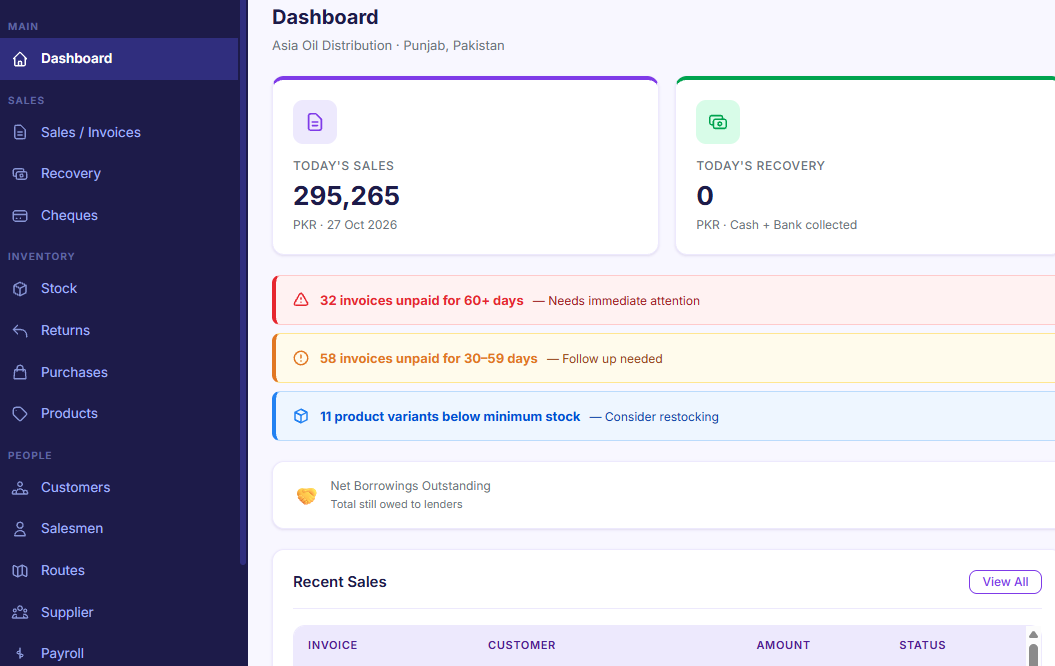
Distribution software links them: one order updates stock, creates the invoice and adjusts the dealer's balance at the same time, with routes and recovery tracking on top. That's what DevStaq's Distribution Manager does.
If your process doesn't fit a ready-made app, the same approach works for a fully custom system built around your workflow.
When you should keep your spreadsheets (for now)
Software isn't always the right move yet. Stick with spreadsheets if:
- Your team is very small and only one or two people touch the data.
- The process is still changing every few weeks. Build software once the way you work has settled, or you'll pay to rebuild it.
- A low-cost standard product already fits. If an existing tool handles 90% of what you need, use it.
- The real problem is messy data, not the tool. Clean and organise your sheets first; sometimes that alone solves it.
A good middle step is to tidy one spreadsheet into a clear structure (one row per record, no merged cells, one tab per type of data). If you later move to software, that clean sheet makes the import fast and cheap.
Frequently asked questions
Is custom software better than Excel? Not always. Excel is great for small teams, quick calculations and one-off analysis. Custom software is better once several people share the same data, you need access control, or you're repeating the same manual steps every week.
How much does it cost to replace spreadsheets with custom software? A typical custom web app or dashboard at DevStaq ranges from about $4,420 to $17,160, depending on screens, features and design. Use the cost calculator for a range based on your project.
How long does it take? Around 8 weeks for a typical project, often less if you start with one core module (such as stock or attendance) and add the rest later.
Will I lose my existing data? No. Your spreadsheet data is cleaned and imported into the new system, and you can run both side by side until the numbers match.
Can I still export to Excel afterwards? Yes, and you should insist on it. Being able to export your data to CSV or Excel keeps you in control.
Should I choose off-the-shelf software instead? If a standard product fits most of your process, yes. Custom software makes sense when your workflow is specific to your business or industry and you keep working around the tools you've tried.
The bottom line
Spreadsheets are a great place to start and a poor place to stay once several people, branches or thousands of records depend on them. If you recognised three or more of the warning signs above, it's worth pricing the alternative.
Next step: get an instant range with the free Website & Web App Cost Calculator, or tell us about your spreadsheets and we'll suggest whether a ready-made DevStaq app or a custom system fits best. No long contracts, and you keep full control of your data.
Need something built?
Tell us about your project — we'll get back to you within a business day.
Get a Quote